AI self-healing in Cypress: reliable tests with full visibility
By Jennifer Shehane
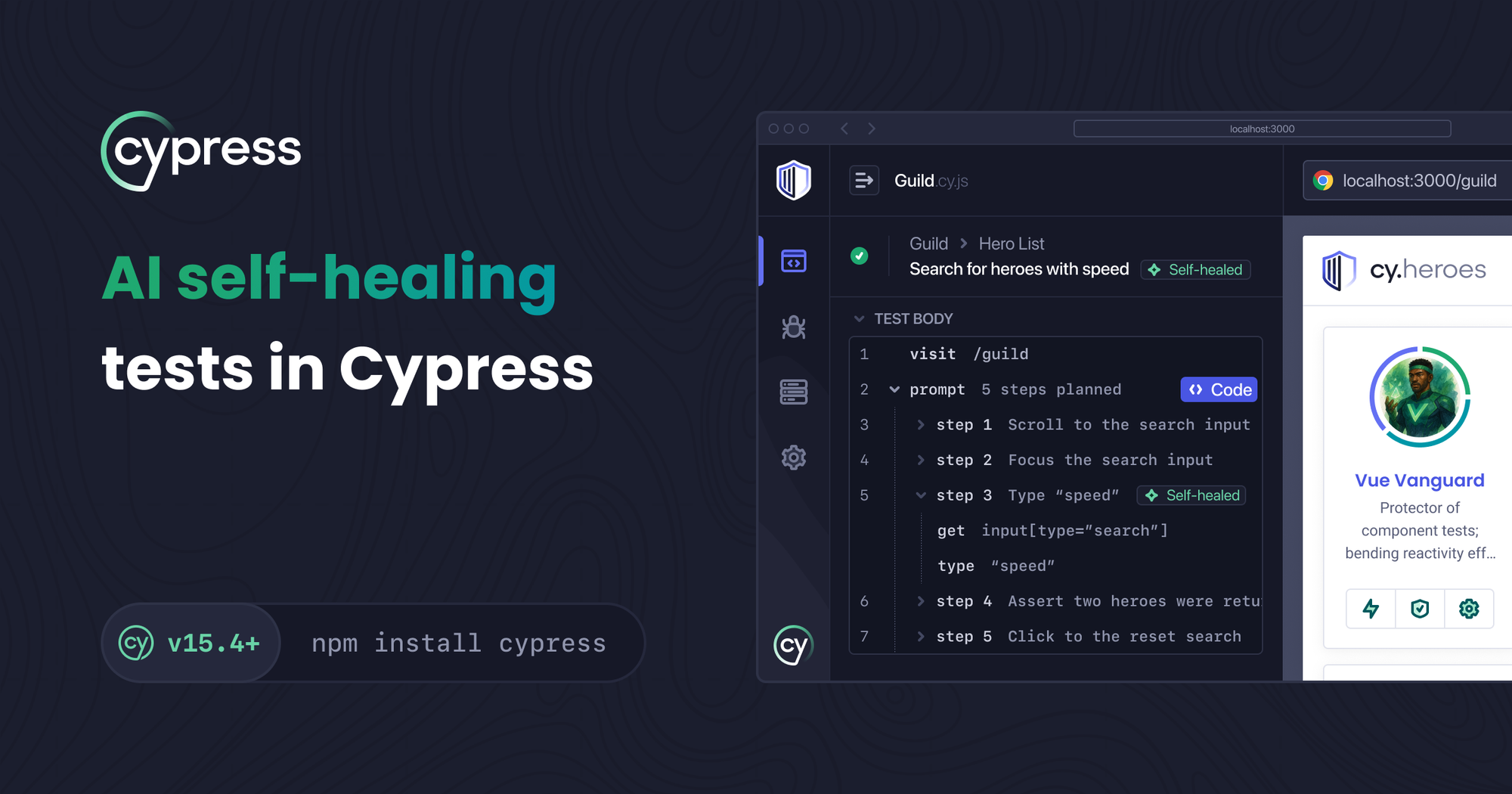
Applications change all the time. A button gets renamed. A form field moves. A class name updates after a refactor. These are normal product changes, but they are also the kind of changes that break automated tests in frustrating ways. This is why self-healing has become a big topic in AI driven testing solutions, and it is exactly where cy.prompt shines.
Self-healing is only useful when you can trust what changed. This is one of the core differences in how Cypress approaches the idea. cy.prompt adapts to evolving selectors, but it never hides that work from you. Every healed step is visible in the Command Log and in detailed Console output so you always understand how your test resolved the element.
In this post, we will walk through why self-healing matters, how cy.prompt performs it, and the visibility Cypress gives you for every step.
Why self-healing matters for real teams
Most teams already deal with small UI changes that break tests. Some examples you may have run into:
- A login page redesign replaced the old
#submitbutton with a new styled component. - A product card layout shifted and the test that clicked the third card fails because the selector changed.
- A QA workflow relies on data attributes that were cleaned up during a refactor.
In each of these cases, the intent of the test didn't change. You still want to click the button or assert against the same field. The failure is not about logic. It is about selectors changing underneath you.
This is where cy.prompt helps. Instead of breaking, it tries to resolve the right element using a combination of cached mappings and AI when needed. Your test continues to run and you can review exactly what changed afterward.
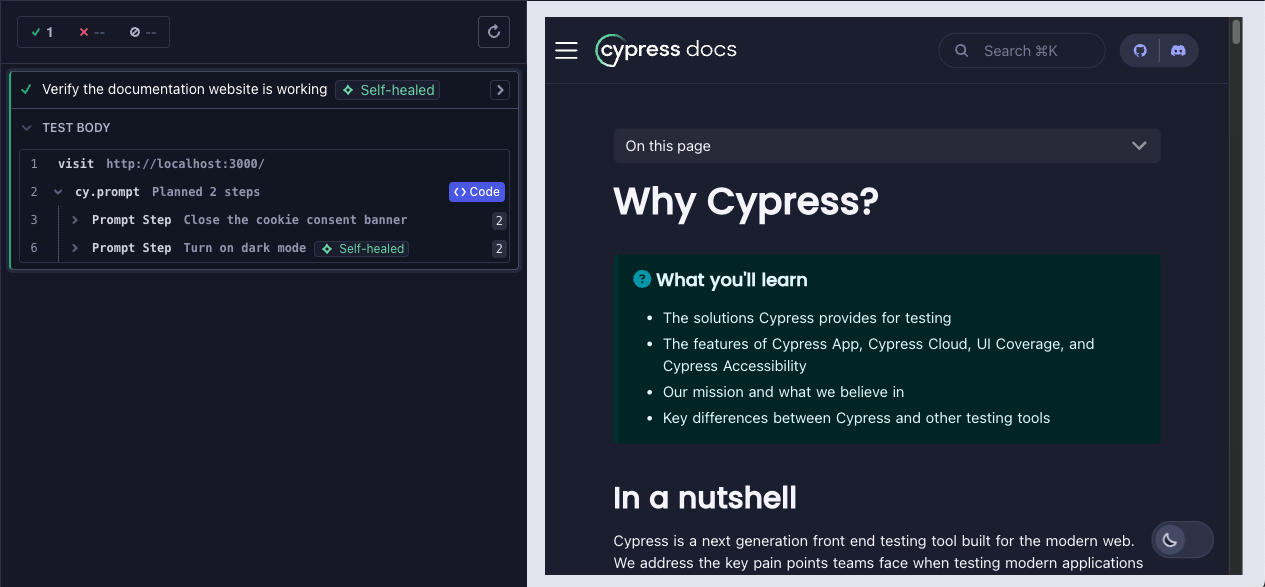
Self healed steps appear directly in the Command Log
cy.prompt self heals when the element it needs to interact with has changed since the last time that step ran. When it does, Cypress shows that work in the Command Log at the test level, prompt level, and step level.
Deep visibility in console logs
Clicking a prompt command or an individual step exposes detailed Console logs in Developer Tools that show exactly how the element was resolved.

You will see:
- Resolved element: The selector and the exact element
cy.promptultimately interacted with. - Cached elements: Previously resolved elements that
cy.promptchecked against during self-healing. - Self healed status: Whether the step healed, and if so, how.
This kind of transparency is rare among AI testing tools. Many offer self-healing as a black box. Cypress takes the opposite approach. You see every detail so you can make informed decisions about whether the healed step aligns with your intent.
Understanding how cy.prompt healed the element
Cypress considers two different healing paths. You can know exactly which logic was used.
- Self-healed via cache: This occurs when a selector changed since the last time the step ran, but
cy.promptwas able to resolve the correct element using its existing cached mapping. No AI call was made. - Self-healed via AI: This happens when the selector changed and there was no matching cache entry.
cy.promptmade an AI call to identify the correct element based on the intent of your original instruction.
If the resolved element does not appear in the cached list, you know it was healed via AI.
For teams not ready for self-healing in CI
Not every team wants self-healing in their continuous integration environment. Some groups want full control over every selector. Others work in regulated spaces where AI usage requires extra steps or approval. Some developers simply prefer to keep their tests fully static and predictable.
cy.prompt was designed with that reality in mind.
If you want the speed of natural language test creation without relying on AI during every run, you can use cy.prompt as a one time authoring tool. Run a prompt locally, review how it performs, then open the Code view from the Cypress Command Log to see the generated Cypress commands. From there you can edit them, save them, and commit the final test code to your repository.

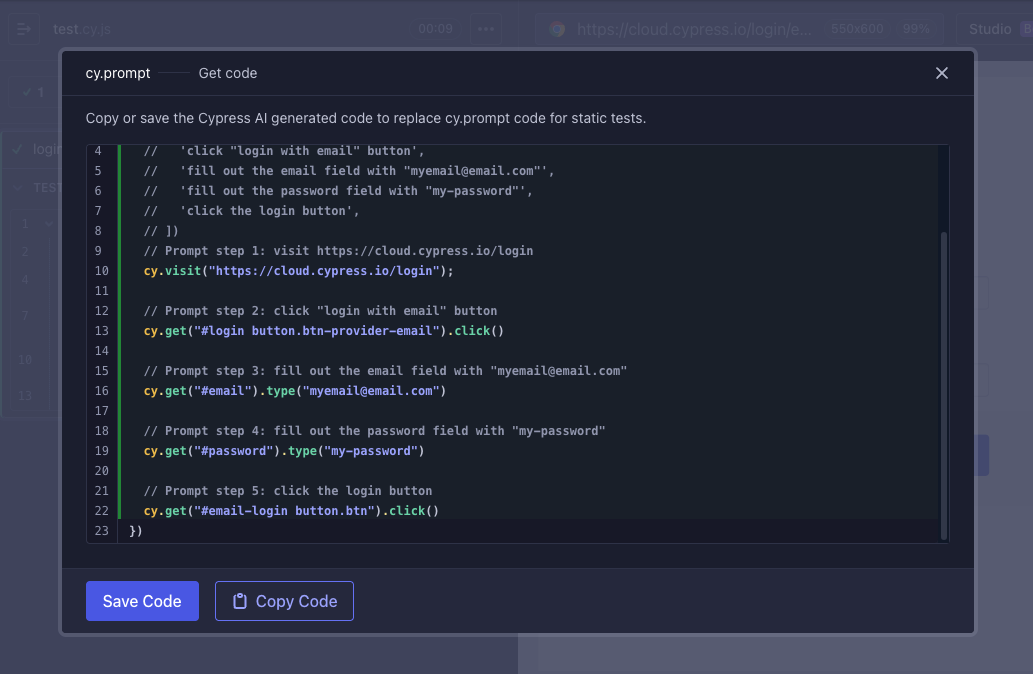
Many teams use cy.prompt this way. It speeds up early authoring while keeping production tests fully under human control. And if you ever decide to enable self-healing later, you can adopt it at your own pace.
Final thoughts on AI self-healing in Cypress
cy.prompt brings flexibility to UI testing without asking you to give up clarity or control. When your application changes, it can adapt by resolving the updated element through cached knowledge or AI, and it shows every detail of that decision in the Command Log and Console. You always know what healed, why it healed, and how the element was chosen. And if your team prefers fully static tests in CI, you can still use cy.prompt as a fast natural language authoring tool and commit the generated code to your repository. No matter which path you choose, you get reliable tests backed by visibility you can trust.