You're stepping through a failing test in Test Replay. Your test interacted with a canvas element. But instead of seeing what the canvas rendered, you see a diagonally striped placeholder. No explanation. No setting to toggle. Just a gap where the debugging context should be.

That placeholder was the default experience for any project that hadn't been manually opted into canvas element capture. To enable it, teams had to contact us, and many didn't know to ask. This rollout changes that.
Canvas element capture is now on by default in Cypress Test Replay for all projects in Cypress Cloud.
Why canvas element capture wasn't on by default
When we launched canvas capture, we defaulted it to off. Large or numerous canvas elements could slow down test recording at scale. Without production data to bound that risk, we made capture opt-in and required manual enablement on a project-by-project basis.
That tradeoff made sense as a starting point. Since enabling canvas capture for teams who requested it, we haven't seen very many test performance issues. What we have consistently observed is the cost of the conservative default: teams unable to debug canvas-related failures in Test Replay because the elements weren't there.
What changes
Canvas capture is now enabled for every project in Cypress Cloud. You don't need to update your Cypress version or change your configuration.
If your tests interact with canvas elements, you'll see those elements rendered in Test Replay as they appeared during the test, rather than the striped placeholder. This applies whether your canvas testing involves charts, data visualizations, interactive graphics, or other canvas-rendered UI.
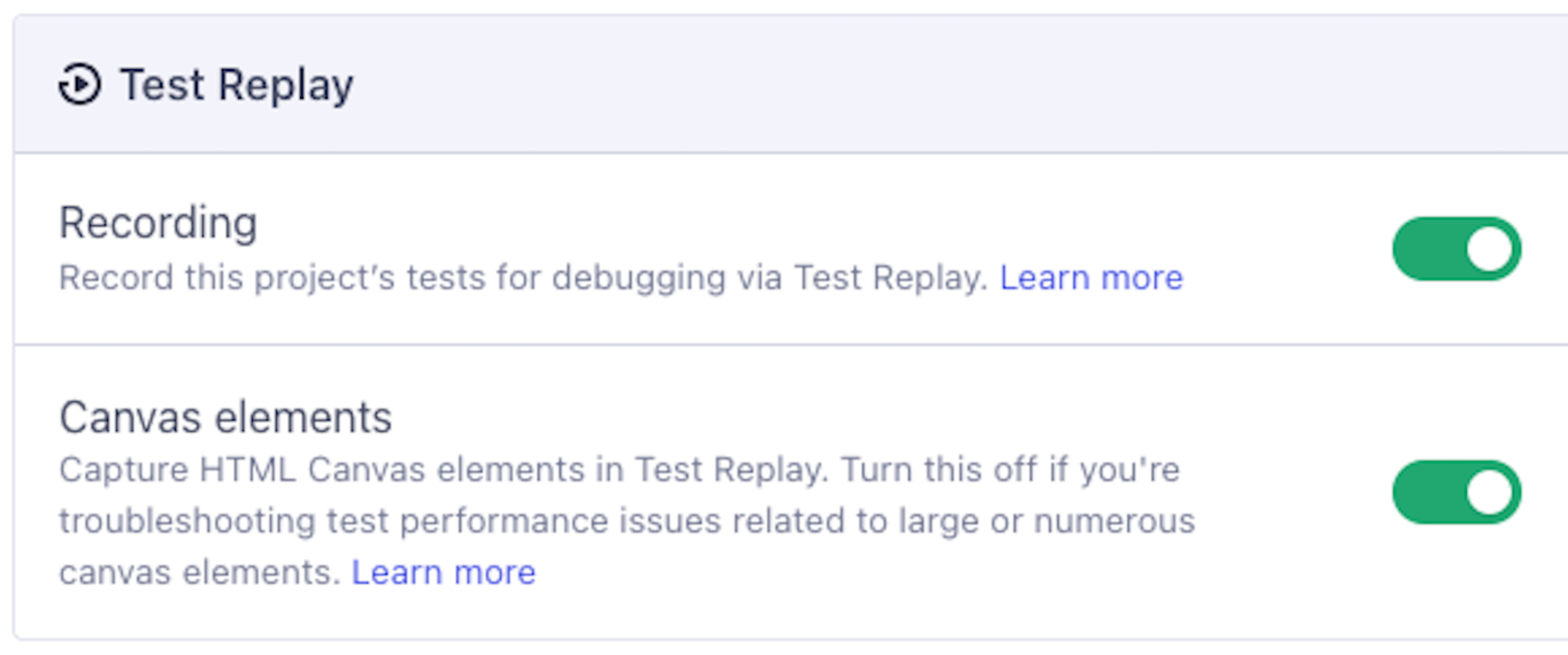
Because some projects do involve large or numerous canvas elements where test performance may be a concern, we've added a project-level toggle to disable canvas capture. To find it, open project settings in Cypress Cloud and look in the Test Replay section. The canvas toggle sits below the main Test Replay recording toggle.
What this change doesn't cover
Two gaps still remain around canvas in Test Replay:
- Shadow DOM canvas: Canvas elements rendered inside Shadow DOM are still not shown in Test Replay.
- Cypress versions before 15.5.0: Canvas capture requires Cypress 15.5.0 or later.
If your tests interact with Shadow DOM canvas, the behavior in Test Replay is unchanged by this rollout. For the full list of what is and isn't captured, see the Test Replay "What is not captured" documentation.
What you need to do
For most teams: nothing. Canvas element capture is on. Test Replay will show canvas elements where it used to show placeholders.
If you want to confirm the setting or adjust it, go to project settings in Cypress Cloud and check the Test Replay section.
If you encounter test performance issues and suspect canvas capture is a factor, disable the toggle in project settings and contact Cypress support with specifics. We want to understand those cases.
For the full documentation on canvas behavior in Test Replay, including how the toggle works and what's not yet captured, see the Test Replay canvas elements documentation.