Find elements the way your users do with cy.getByRole()
By Jennifer Shehane
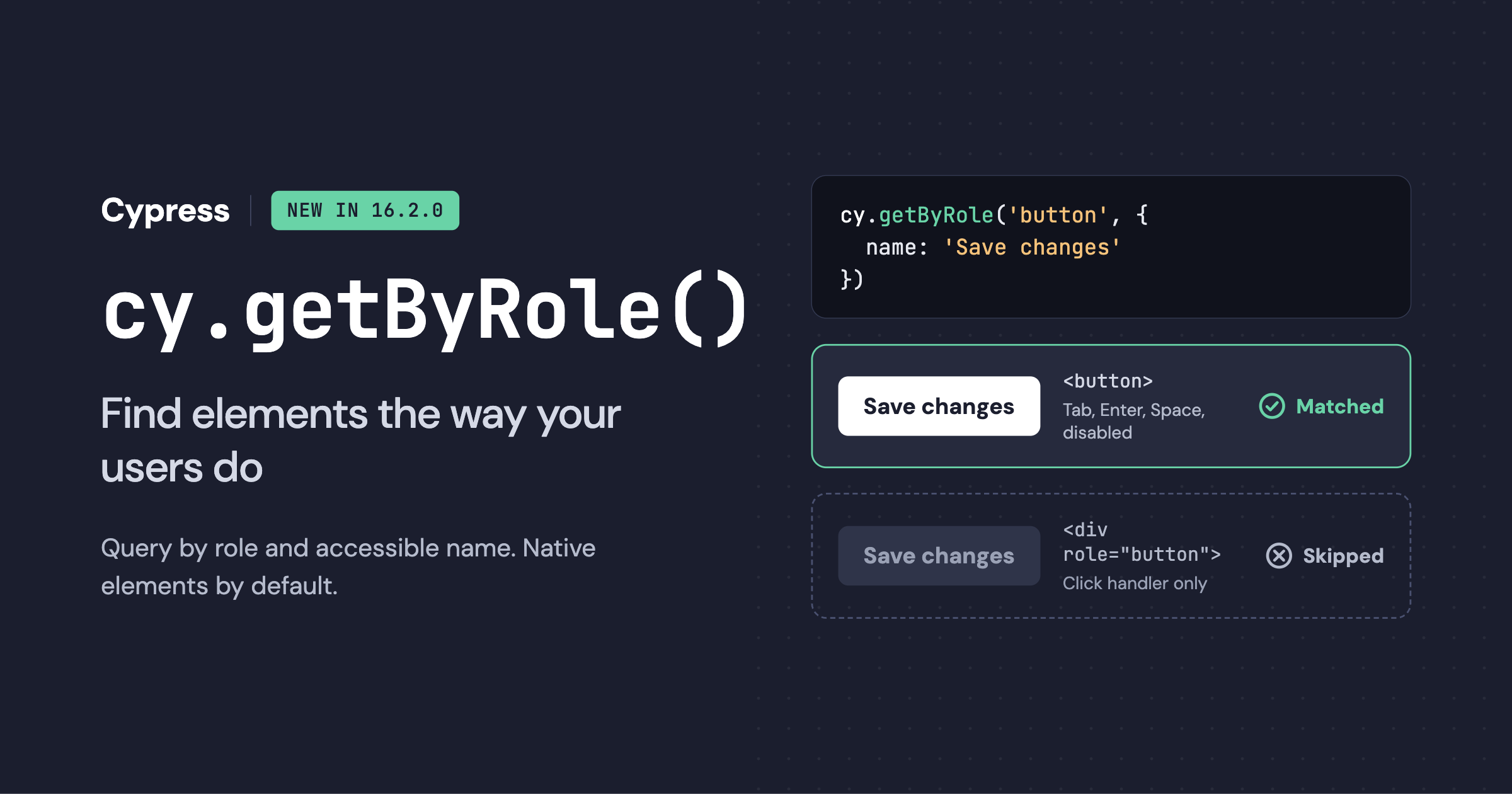
Starting in Cypress 16.2.0, cy.getByRole() is a built-in query that finds elements by their role and accessible name. The role is what a screen reader announces an element as, such as a button or a link, and the accessible name is the text it announces for it.
This offers a built-in alternative to the .findByRole() selector from the popular Cypress Testing Library plugin. That package no longer has an active maintainer and the previous maintainer suggested Cypress build these queries into Cypress directly.
We agree with that direction. Role-based queries are a core way to write resilient, accessible tests, and they belong in Cypress itself. cy.getByRole() is the first of these built-in queries. We plan to bring more of the Testing Library queries teams depend on into Cypress.
What cy.getByRole() does
cy.getByRole() finds every element with a given role, such as button, link, heading, or tab, and can narrow the results to elements whose accessible name matches. Because those are what assistive technology announces, a test written this way finds elements the way assistive technology does. If a control’s role or label changes, the test fails.
describe('account settings', () => {
  it('saves profile changes', () => {
    cy.visit('/settings')
    cy.getByRole('textbox', { name: 'Display name' }).type('Jane Doe')
    cy.getByRole('button', { name: 'Save changes' }).click()
    cy.getByRole('alert').should('have.text', 'Changes saved')
  })
})
A few behaviors on how cy.getByRole() works:
- It yields every match. Like
cy.get(),cy.getByRole()yields all matching elements in document order. Narrow thename, or chain.first()or.eq(), to act on one. - A string name matches the whole name, case-sensitively. Pass a regular expression to match part of a name or ignore case, or a function for custom logic.
- It skips elements hidden from the accessibility tree by default, such as elements with
aria-hidden="true"ordisplay: none. Passhidden: trueto include them. - It retries like any Cypress query, so it waits for an element to appear and for chained assertions to pass.
- It prefers built-in HTML elements. If a native HTML element exists for a given role,
cy.getByRole()matches that element only, unlessnative: falseis passed.
To narrow by state, such as checked, selected, expanded, or heading level, chain .filter():
// The tab that is currently selected
cy.getByRole('tab').filter('[aria-selected="true"]')

// Level 2 headings
cy.getByRole('heading').filter('[aria-level="2"], h2:not([aria-level])')

// A checked native checkbox
cy.getByRole('checkbox').filter(':checked')

// A checked checkbox that gets its role from a role attribute
cy.getByRole('checkbox', { native: false }).filter('[aria-checked="true"]')

// The menu button whose menu is open
cy.getByRole('button').filter('[aria-expanded="true"]')

// A toggle button that is switched on
cy.getByRole('button').filter('[aria-pressed="true"]')

// The link to the page the reader is on
cy.getByRole('link').filter('[aria-current="page"]')

// Every button except disabled ones
cy.getByRole('button').not(':disabled, [aria-disabled="true"]')
The cy.getByRole() API reference covers every option, including shadow DOM, TypeScript, and scoping with .within().
Why native elements are the default in cy.getByRole()
For any role that HTML has a native element for, such as button, link, heading, dialog, or checkbox, cy.getByRole() matches only elements whose tag gives them that role. A <div role="button"> does not match cy.getByRole('button') unless you pass native: false.
<button>Save</button>
<div role="button" tabindex="0">Cancel</div>
// Yields and clicks the native <button>
cy.getByRole('button', { name: 'Save' }).click()
// The <div> has the role only through its role attribute, so it's skipped
cy.getByRole('button', { name: 'Cancel' }).should('not.exist')Why make more strict behavior the default? Because a role-based locator that accepts both elements can cover up accessibility issues that could be easily discovered by your tests. Native controls are the most likely to work well for keyboard-only users, including many people with motor disabilities, or for screen reader users, because the browser handles the behavior automatically and consistently.
On the other hand, custom controls may implement a role attribute in order to satisfy a byRole selector, and often skip the rest of the required behavior. This creates a false impression that something is accessible.
What a role attribute does not support natively
Adding role="button" to a <div> changes one thing: assistive technology announces the element as a button. As MDN’s documentation of the button role explains, the role does not add keyboard handling or other button behavior. The application code has to account for all of it.
A native <button> gives you these behaviors built in:
- Automatically joins the keyboard tab order.
- Activates with both the Enter and Space keys.
- Fires a
clickevent for keyboard activation, not only for mouse clicks. - Supports the
disabledattribute, which removes the button from the tab order and blocks activation. - Submits the surrounding form.
A <div role="button"> gets none of these. To match a native button, a developer has to add tabindex="0", a keydown handler for both keys, logic to stop Space from scrolling the page, and their own disabled state handling. Each of those is a place for a bug to hide, and a mouse-driven test won’t notice any of them, so if the accessibility-friendly byRole locator is passing, it can be easy to miss the risk.
What people experience when the native element doesn’t match the role
Here’s what that gap looks like for real users of a partially-implemented button, for example a <div role="button"> that only has a click handler:
- Keyboard-only users press Tab and skip right past the control. Without
tabindex, the browser never puts it in the tab order, so there’s no way to reach it. People who can’t use a mouse, including many people with motor disabilities, are stuck. - Screen reader users may reach the content and hear “Save, button” and do what anyone would: press Enter or Space. Depending on their screen reader and how they’re navigating, nothing may happen, because the page only listens for mouse clicks. They will not know if they successfully operated the button.
- Anyone using Space to activate it may watch the page scroll down instead, because Space scrolls the page unless the developer prevents it.
- Users who encounter a “disabled” state may still be able to activate it. Setting
aria-disabled="true"describes a state to screen readers, but doesn’t block clicks or key presses the way the nativedisabledattribute does, allowing for unintentional activation.
None of this shows up in a test that clicks the element with a simulated mouse event. That’s exactly why we made native matching the default. If someone replaces a <button> with a <div role="button">, your existing cy.getByRole('button', ...) test fails and points you at the change, and you can decide whether it was intentional and if more tests are needed.
The broader principle comes from web accessibility: The first rule of ARIA advises using a native HTML element whenever one already has the semantics and behavior you need, instead of rebuilding it with an ARIA role attribute. The W3C ARIA Authoring Practices Guide button pattern shows how much work a custom button takes to get right.
When to pass native: false to cy.getByRole()
In some cases a role attribute is the right call, or at least not yours to change. Pass native: false to also match elements that get their role from a role attribute:
// A dialog rendered by a component library you don't control
cy.getByRole('dialog', { name: 'Delete project', native: false }).should('be.visible')
A few common patterns need native: false even when they follow the ARIA authoring practices, because HTML has a different native element for the role:
- An autocomplete
<input role="combobox">. The native combobox is a<select>or an<input>with alistattribute. - An icon
<svg role="img">. The native image is an<img>.
For widget roles that HTML has no element for, such as tab, menuitem, or switch, a role attribute is the only option, so cy.getByRole() always matches it. You don’t need native: false for those.
If your app is built on a component library that re-implements native elements with role attributes, you don’t have to pass native: false on every call. You can overwrite the query in your support file to make native: false your project’s default. A test can still pass native: true to require a native element.
// cypress/support/commands.js
Cypress.Commands.overwriteQuery(
  'getByRole',
  function (originalFn, role, options = {}) {
    return originalFn.call(this, role, { native: false, ...options })
  }
)
Moving off of Cypress Testing Library
Do you need to migrate cy.findByRole() to cy.getByRole() right now?
No. Cypress Testing Library still works with Cypress 16.2.0. It registers only findBy* queries, so it doesn’t conflict with cy.getByRole(), and you can migrate one spec at a time.
Most calls translate by renaming the query:
// Before: Cypress Testing Library
cy.findByRole('button', { name: 'Place order' }).click()
cy.findAllByRole('listitem').should('have.length', 3)
cy.findByRole('tab', { selected: true }).should('have.text', 'Shipping')

// After: cy.getByRole()
cy.getByRole('button', { name: 'Place order' }).click()
cy.getByRole('listitem').should('have.length', 3)
cy.getByRole('tab').filter('[aria-selected="true"]').should('have.text', 'Shipping')
There are a few differences that could cause a one-to-one replacement to fail:
- Native elements by default. A test that found a
<div role="button">withfindByRole()fails after migrating. Decide for each one whether the app should use the native element, or the test should passnative: false. I’d encourage you to treat this list as an accessibility review, not a chore. To keep your current behavior while you migrate, overwrite the query to default tonative: false, as shown earlier. - Every match, not one.
cy.getByRole()yields every match instead of failing when more than one element matches. Narrow thenameor chain.first()to act on one. - State options become
.filter(). Thechecked,selected,pressed,expanded,current,busy,level, andvalueoptions move to a chained.filter(). If you pass one of these options, the error tells you which filter to use.
The migration guide in the cy.getByRole() docs has before-and-after examples and a copyable prompt you can give an AI agent to do the migration.
Custom command failing with cy.getByRole()
If your project already defines its own getByRole with Cypress.Commands.add() or Cypress.Commands.addQuery(), that call throws an error in Cypress 16.2.0, because getByRole is now a built-in query. Rename your command, or remove it and use the built-in one.
How cy.getByRole() and Cypress Accessibility fit together
cy.getByRole() only checks the elements you locate in a test. Cypress Accessibility widens the view. It runs axe-core checks against every unique page state your recorded tests reach, with no changes to your test code, and reports the results in Cypress Cloud. That catches problems like missing labels, low color contrast, and invalid ARIA on parts of the page no test explicitly asserts.
Put together, it looks like this:
cy.getByRole()helps ensure the elements your tests use or assert about have a clear accessibility purpose and name.- Cypress Accessibility audits every state your tests reach, including everything they don’t interact with or make assertions about.
cy.getByRole() is built into the Cypress app and works without Cypress Cloud. Cypress Accessibility runs with Cypress Cloud. You can adopt either one on its own, and each makes the other more useful, because you will get a more detailed axe-core report if your elements have recognizable roles with associated accessibility expectations, and don’t appear to be generic content.
What to do next
If you’re starting a new test, reach for cy.getByRole() first. If you already use Cypress Testing Library, there’s no rush, but migrating gives you a supported query and an accessibility check on every control your tests touch. And if a migrated test fails because of the native default, take that seriously. It may be the first time your test suite noticed something a keyboard user has been running into all along.
Upgrade to Cypress 16.2.0, then read the cy.getByRole() documentation to get started. We’d love to hear how it goes, and which Testing Library queries you’d like to see built in next.
Frequently asked questions
What is cy.getByRole() in Cypress?
cy.getByRole() is a built-in Cypress query that finds DOM elements by their role and, optionally, their accessible name. The role is what a screen reader announces an element as, such as a button or a link. It yields every matching element and retries until the elements exist and chained assertions pass.
Which version of Cypress includes cy.getByRole()?
Cypress 16.2.0 and later.
What about test IDs?
Test IDs like data-cy and data-test specifically avoid depending on anything about the element, which means they have no opinion about accessibility, HTML, or content. They are useful for maximum stability where those things don’t matter, or for separating different instances of otherwise-similar elements.
When working with cy.getByRole(), you may want to chain .filter('[data-cy="your-test-id"]') to ensure a specific element is matched if there is a chance that more than one might be on the same page.
Do I still need @testing-library/cypress to find elements by role?
No. cy.getByRole() replaces findByRole() and findAllByRole() without a plugin. If you use other Testing Library queries, such as findByLabelText(), keep the package for now. The two can run side by side.
Why doesn’t cy.getByRole() find my <div role="button">?
For roles that have a native HTML element, cy.getByRole() matches only the native element by default. Pass { native: false } to also match elements that get their role from a role attribute, or switch the element to a native <button>, which means keyboard and screen reader users get built-in button behavior and you will not need to pass an option. To make native: false your project’s default, overwrite the query with Cypress.Commands.overwriteQuery().
Why is a native <button> more accessible than role="button"?
role="button" only changes how assistive technology announces the element. A native <button> is also in the keyboard tab order, activates with Enter and Space, supports the disabled attribute, and submits forms. A custom button has to rebuild each of these by hand, and missing any of them can block keyboard and screen reader users.
How is cy.getByRole() different from Testing Library’s findByRole()?
cy.getByRole() matches native elements by default, yields every match instead of failing on multiple matches, and uses a chained .filter() for states such as checked and selected instead of options.
How do I find a checked checkbox or a level 2 heading with cy.getByRole()?
Chain .filter(). For example, cy.getByRole('checkbox').filter(':checked') or cy.getByRole('heading').filter('[aria-level="2"], h2:not([aria-level])').
Does cy.getByRole() work inside shadow DOM?
Yes. Pass includeShadowDom: true, set the includeShadowDom configuration option, or chain cy.getByRole() off .shadow().
Should I use cy.getByRole() or cy.prompt self-healing to keep tests stable?
They work well together. cy.getByRole() ties a test to roles and accessible names, which rarely change by accident, and fails when a control loses native behavior. cy.prompt heals steps when an element changes and marks each heal so you can review it. Preferring role and aria-label in your ElementSelector priority helps cy.prompt heal less often.
Does Cypress Accessibility replace cy.getByRole()?
No. Cypress Accessibility audits every page state your recorded tests reach, including elements no test touches. cy.getByRole() is an explicit technique to conveniently locate elements by their accessible role and get a built-in preference for native browser implementations.
Will Cypress add other Testing Library queries?
Yes, that’s our plan. cy.getByRole() is the first, and we’ll announce others as they’re ready.