Fix Cypress CI failures caused by no spec files found
By Jennifer Shehane
There's a specific kind of CI failure that's especially frustrating: your pipeline breaks, you investigate, and the cause is that Cypress found zero test files to run. No failures. No errors in your code. Just... nothing to test.
Until now, that was enough to fail your build.
Starting in Cypress 15.11.0, you can change that behavior with a single CLI flag: --pass-with-no-tests.
The name follows a convention used across the testing ecosystem, so if you've seen similar flags before, it will feel familiar.
What causes "no spec files found" failures in Cypress?
Cypress determines which spec files to run based on a combination of configuration options: specPattern, excludeSpecPattern, and the --spec CLI flag. When none of those patterns match any files, Cypress exits with a non-zero code and your CI pipeline fails.
This can happen by accident, such as a misconfigured glob pattern, but it also happens intentionally in workflows that are working exactly as designed.
What the --pass-with-no-tests flag does
When you run cypress run --pass-with-no-tests and no spec files are found, Cypress exits with code 0 instead of a non-zero exit code. Your CI pipeline sees a passing run and moves on.
Without the flag, behavior is unchanged. If no specs are found and you haven't opted in, Cypress still exits with a non-zero code.
When to use --pass-with-no-tests
You don't need this flag if your test runs consistently produce spec files. But a few common workflows make this situation genuinely hard to avoid:
Dynamic spec filtering with cypress-grep
If you use the cypress-grep plugin with grepFilterSpecs=true, Cypress skips loading spec files that don't contain matching tests. That's the intended behavior. But when no specs match your filter, the result is zero files, and the build fails.
npx cypress run --env grep="login",grepFilterSpecs=true --pass-with-no-testsAdding --pass-with-no-tests lets those runs exit cleanly instead of blocking your pipeline.
Test quarantine workflows
Some teams define their own workflow that dynamically disables unstable or quarantined tests in CI. If an entire test group gets quarantined at once, the run produces zero spec files, and Cypress fails, which is the opposite of what you want when you're trying to stabilize a build.
Example: running Cypress with no specs in CI
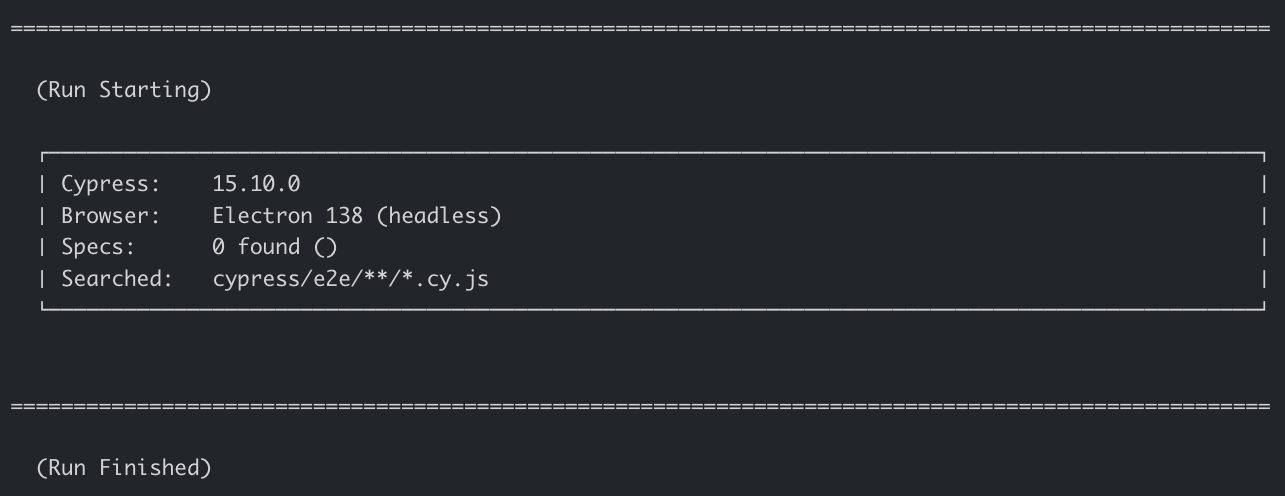
Without recording:
npx cypress run --pass-with-no-testsCypress finds no specs, logs that no files were found, and exits 0.
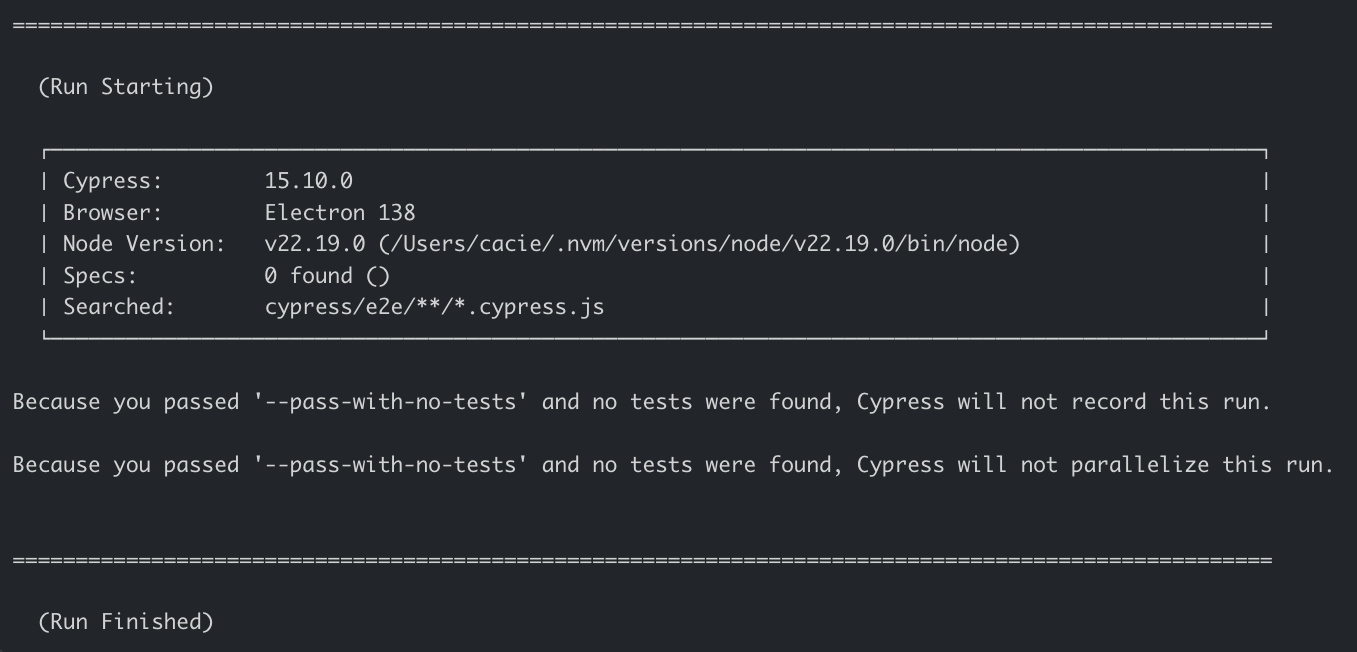
With recording to Cypress Cloud:
npx cypress run --record --key <key> --pass-with-no-testsThe run exits 0. Note that because no specs are found before recording begins, this run will skip recording to Cypress Cloud. There is no Cloud-level visibility into these skipped runs, but there is a message printed to the terminal explaining why the run was not recorded.
One edge case worth noting
If you're combining --pass-with-no-tests with --posix-exit-codes and no specs are found, the exit code will be 0. The --pass-with-no-tests flag takes precedence in this scenario.
Should you use this?
The most important question to answer first is whether a zero-spec result is ever a valid outcome in your workflow.
If it isn't, don't add this flag. Cypress failing when no specs are found is a useful signal. It may mean a specPattern is misconfigured, a file path changed, or a filtered run is quietly excluding more tests than intended. In those cases, the build failing is the right behavior, and you want to investigate rather than skip past it.
This flag is for workflows where zero specs is an expected and acceptable outcome, such as quarantine setups or filtered runs where all tests may be intentionally excluded.
If you're not sure which category your workflow falls into, start without the flag. A failing build is easier to investigate than a passing one that didn't run anything.
Getting started
Add --pass-with-no-tests to your cypress run command wherever a zero-spec result is a valid outcome in your workflow.
If you have questions or want to share how your team is using this, Cypress Discord is a good place to start.
Other changes in 15.11.0
This release wasn't just about --pass-with-no-tests. A few other features worth knowing about:
Features
- React SSR hydration mismatches, finally addressed. If you've been fighting Cypress and React SSR hydration errors, there's a new escape hatch. You can now use a
<script data-cy-bootstrap>tag to manually control bootstrap script injection, which lets React apps usesuppressHydrationWarningto ignore the mismatch. It's a workaround, and we're calling it one, but it unblocks a frustrating class of test failures. - Brotli compression support in the proxy. This one has been sitting open since 2020. If your app serves Brotli-encoded content, Cypress now handles it correctly in the proxy.
- More CI providers recognized out of the box. Cypress Cloud recorded runs now capture metadata from Harness CI, AWS Amplify Console, Buddy, Bitrise, and Cloudbees Unify. This enables you to more easily jump to relevant CI pipelines or commits from Cypress Cloud for those providers.
Full details in the 15.11.0 release notes.