Transform how you test with Cypress in CI
Cypress Cloud unlocks the full potential of Cypress test automation tools in your CI pipeline. Scale every facet of Cypress testing, and push your code with confidence every time.





















Visual Reviews
Review and debug failures visually
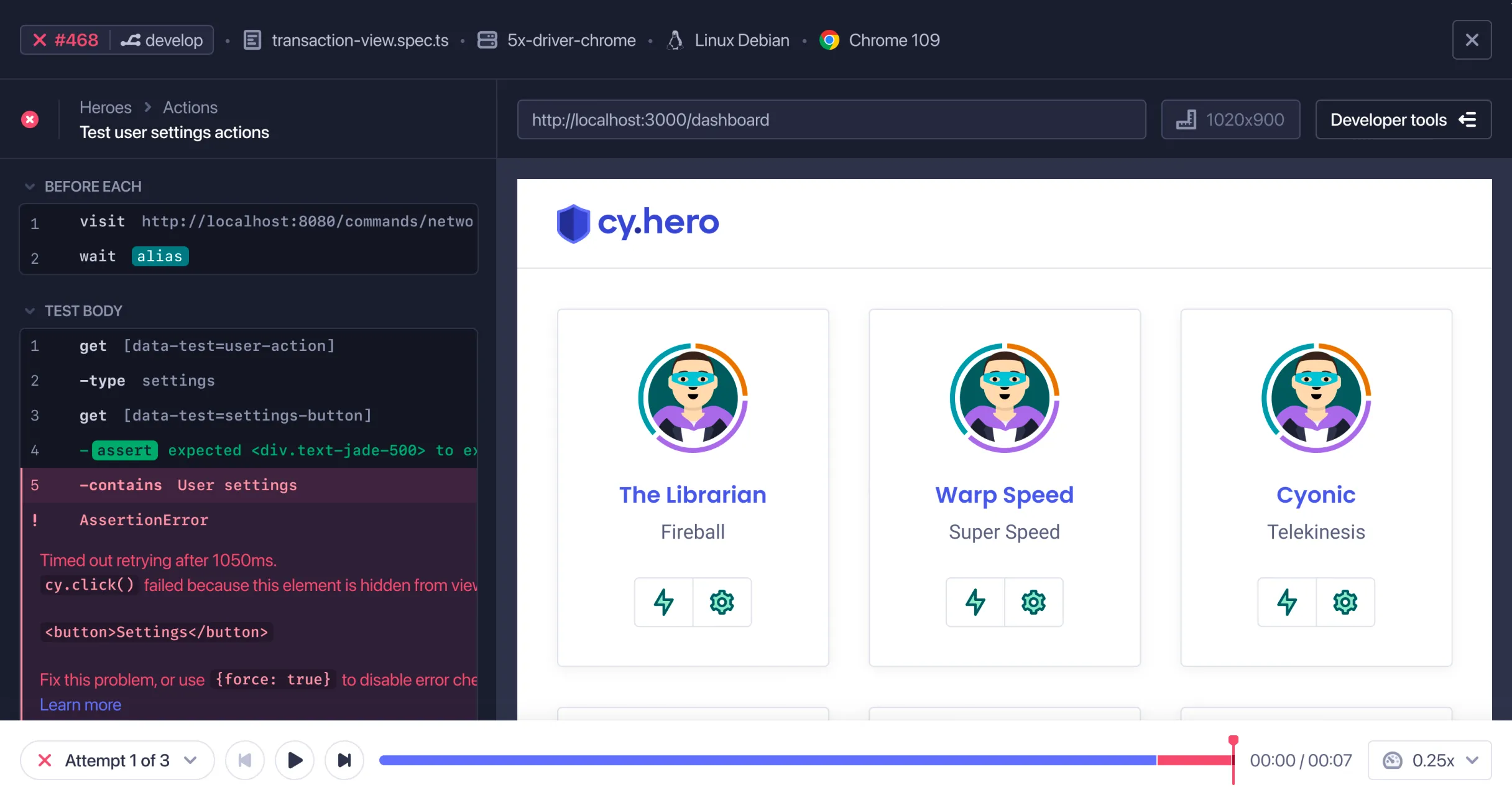
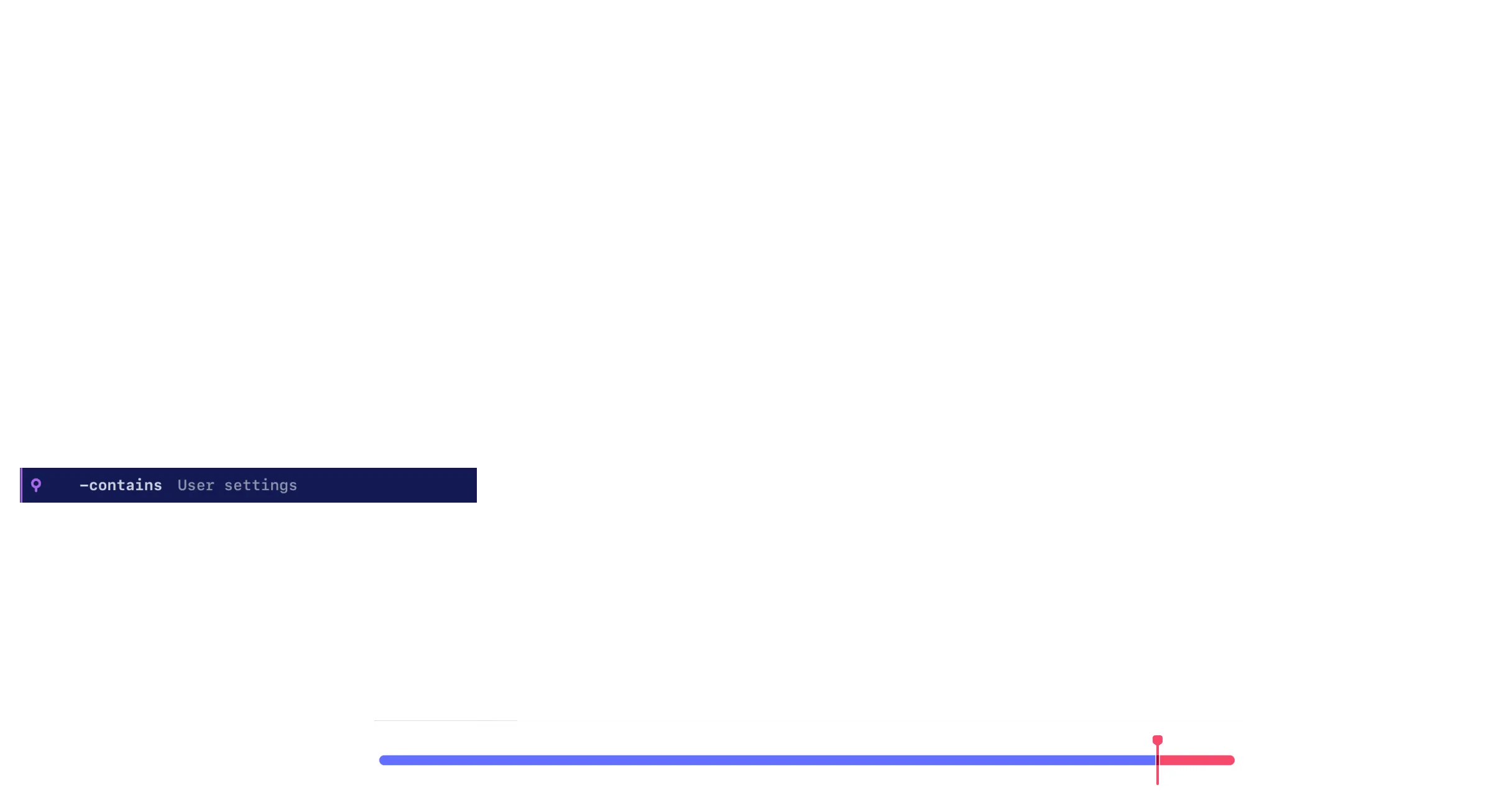
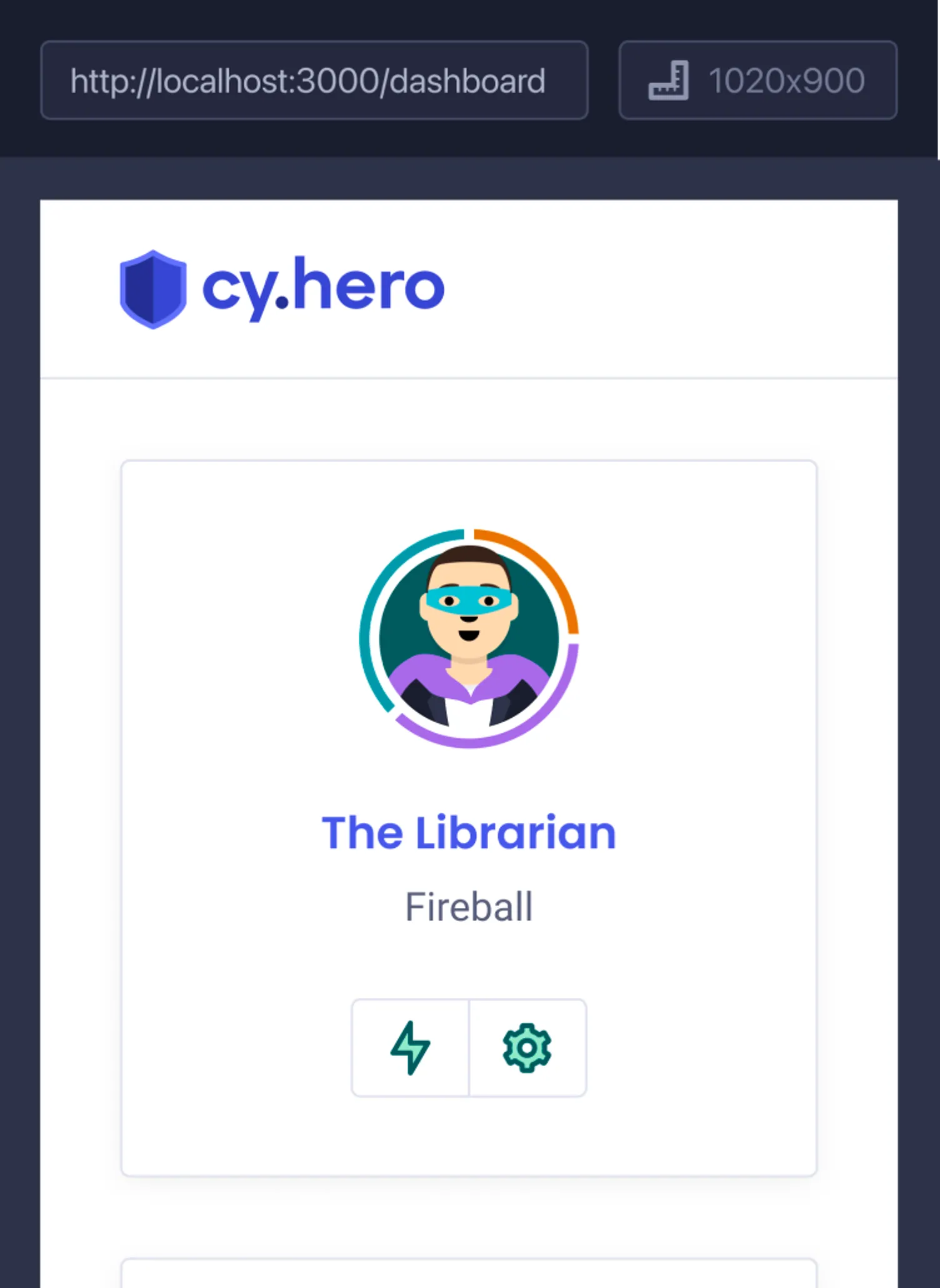
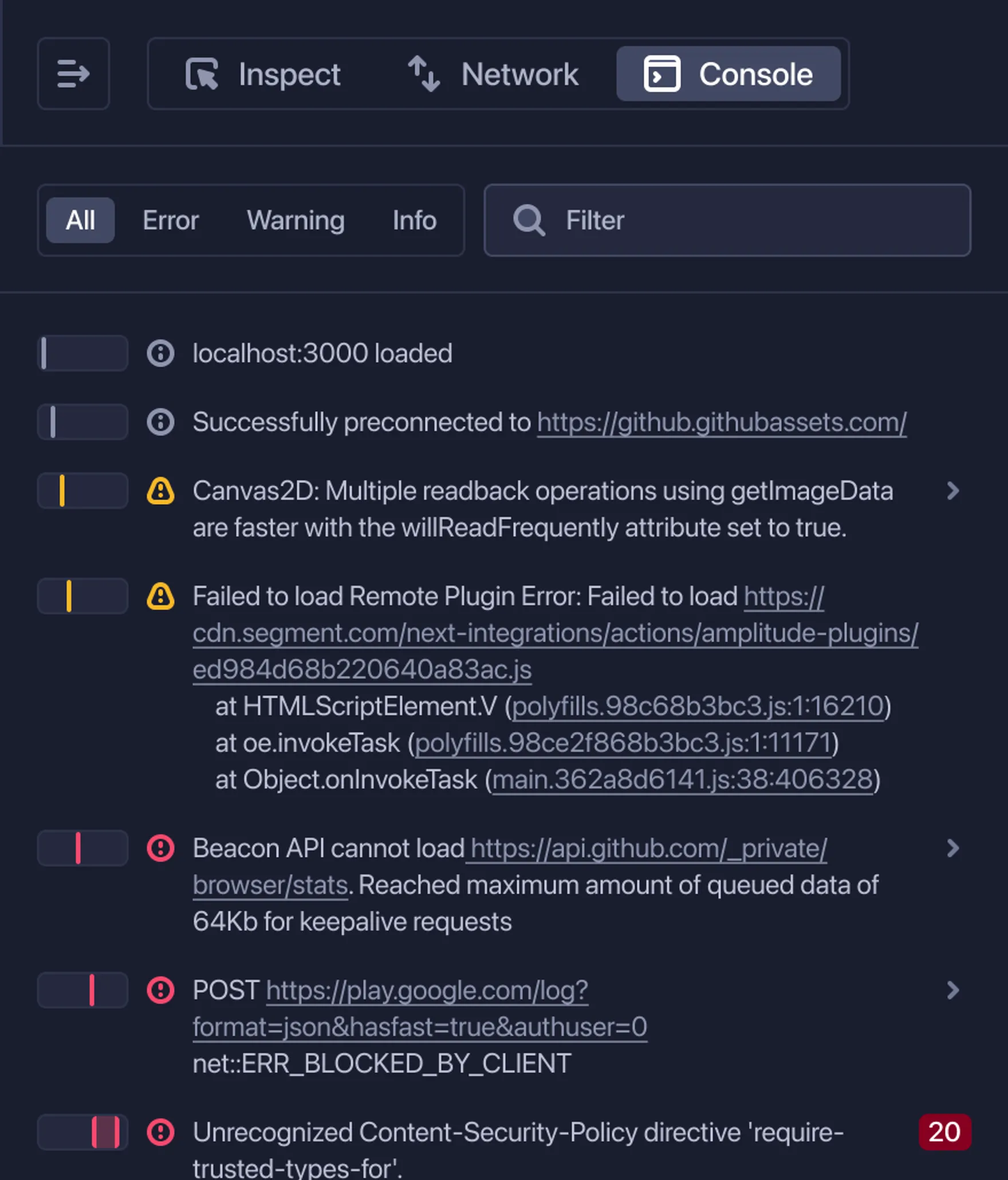
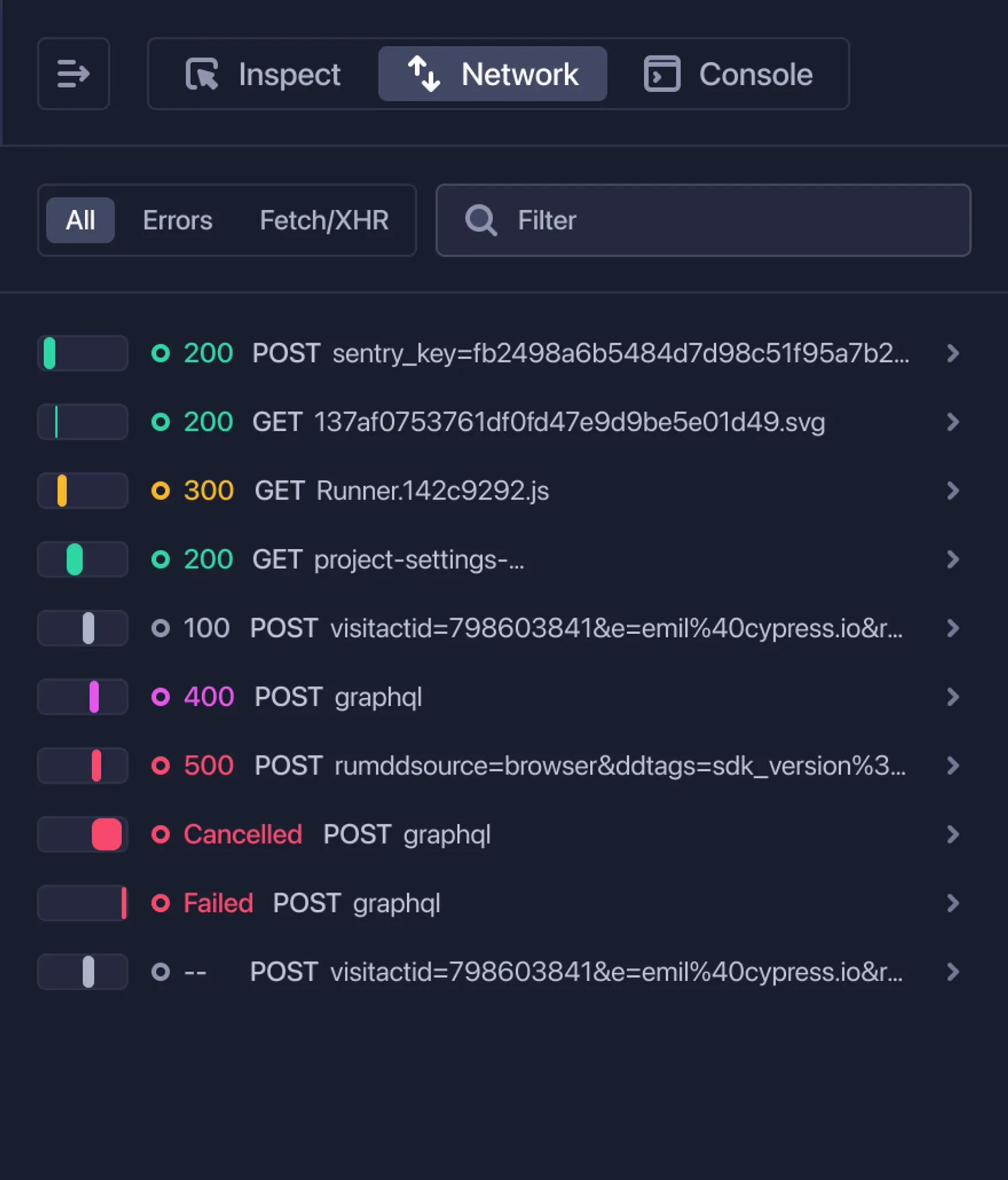
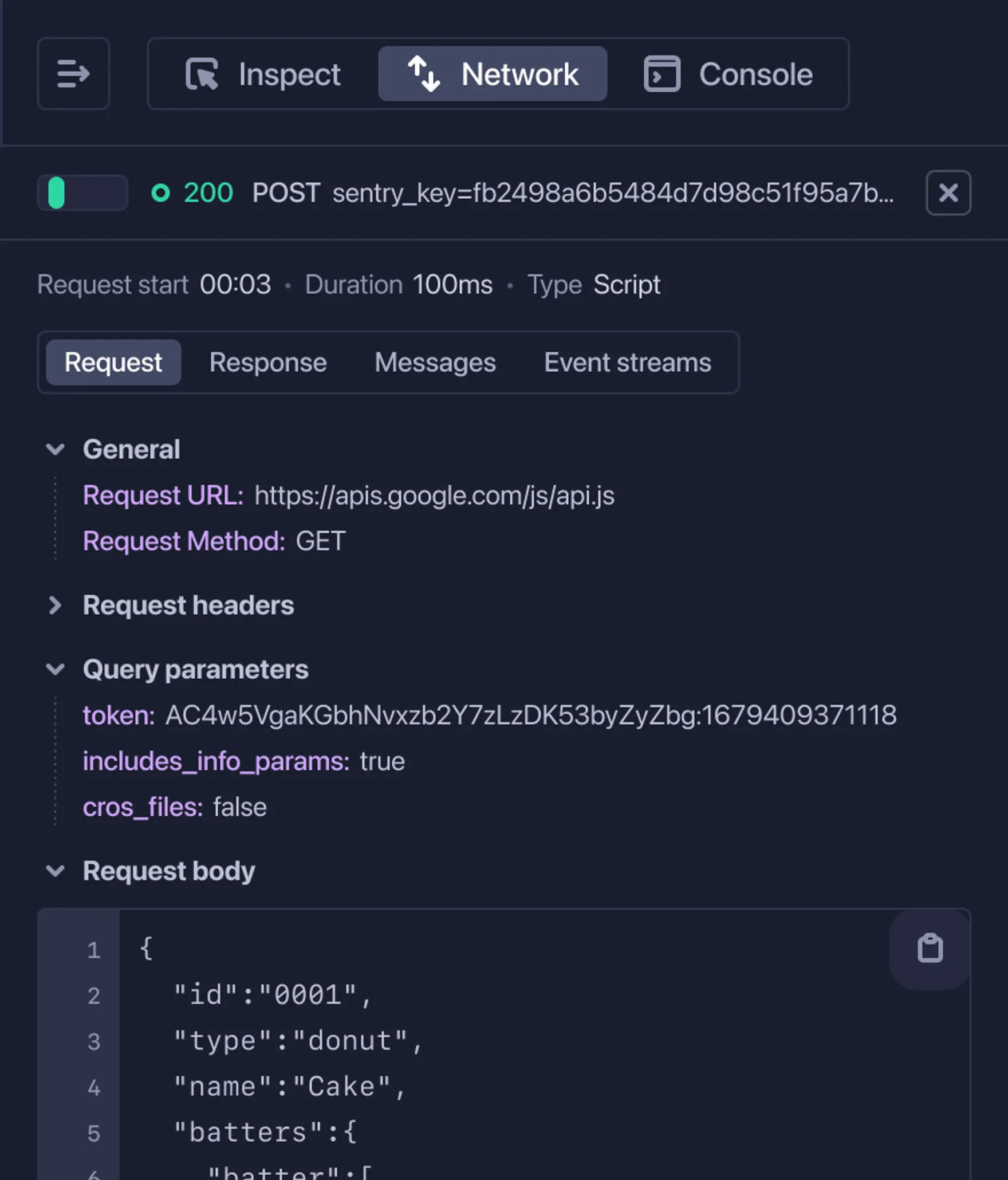
Wind back the clock to any point in an application's execution and see exactly what it was doing during the point of failure. Inspect the DOM, network events, and console logs of your application from your tests exactly as they ran in CI.
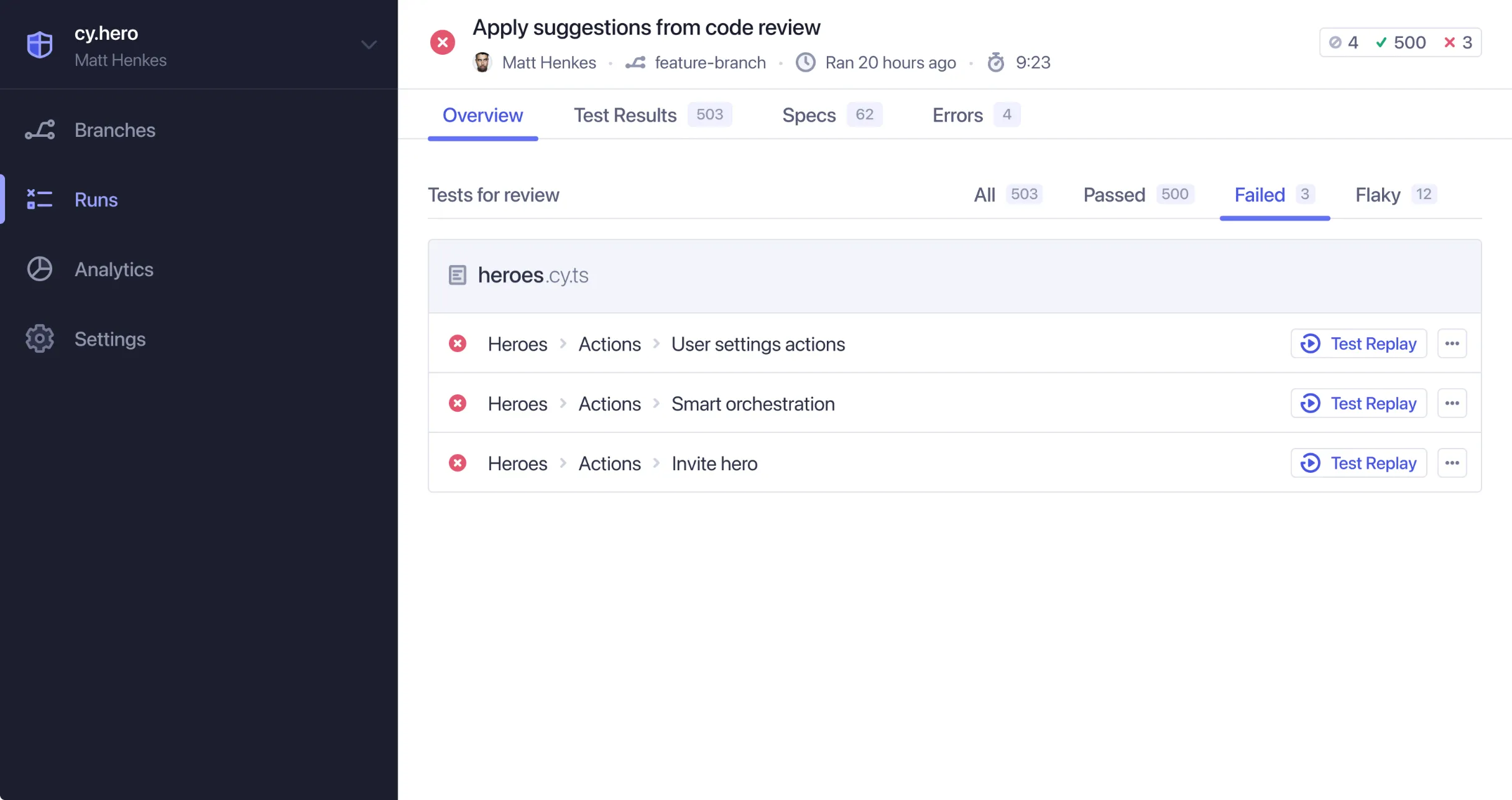
Test Replay docsUnderstand whether you've introduced or resolved failed, flaky, or pending tests. Analyze the impact of your branch's latest pull request by reviewing the before-and-after of test suite changes side-by-side.
Branch Review docsGet instant AI summaries of each test's purpose, errors, and likely causes — debug faster without replaying or reading code.
Test detail sidebar docs
Smart Orchestration
Optimize your runs for a faster feedback loop
It can take a long time for tests to complete while running serially on one machine. Increase velocity and shorten feedback loops by parallelizing Cypress test specs across multiple virtual machines in CI.
Parallelization docsCypress automatically balances your test specs across the available machines during parallelization. This ensures that your test specs run as fast as possible, with no need for manual configuration.
Load Balancing docsAccelerate your deployment times and quickly verify that your latest changes fixed a build in CI by automatically prioritizing the test specs that failed in the previous Cypress run.
Spec Prioritization docsProtect valuable CI resources by automatically canceling a Cypress run after a configurable numbers of tests fail. Auto Cancellation reduces CI costs and frees-up resources for other team members and builds.
Auto Cancellation docs
Analytics & Insights
Gain actionable insights into your test suite
Review the historical run results of each test, including insights from test code changes, failure and flaky rates, and run duration trends.
Previous runs docsIdentify trends in run duration, run status, test suite size, top failures, and more for each individual project.
Project Analytics docsIdentify and resolve flaky tests present in your test suite with historical trends and insights from every recorded run.
Flake Detection docsAccess user-friendly dashboards providing comprehensive insights at the organizational level. View key metrics on overall usage, test results, test suite performance, and adoption.
Enterprise Reporting docsPull robust test data from Cypress to further analyze results, build programmatic workflows on your data, and create dashboards in your preferred BI tools.
Data Extract API docs
UI Coverage
Identify testing gaps in your UI
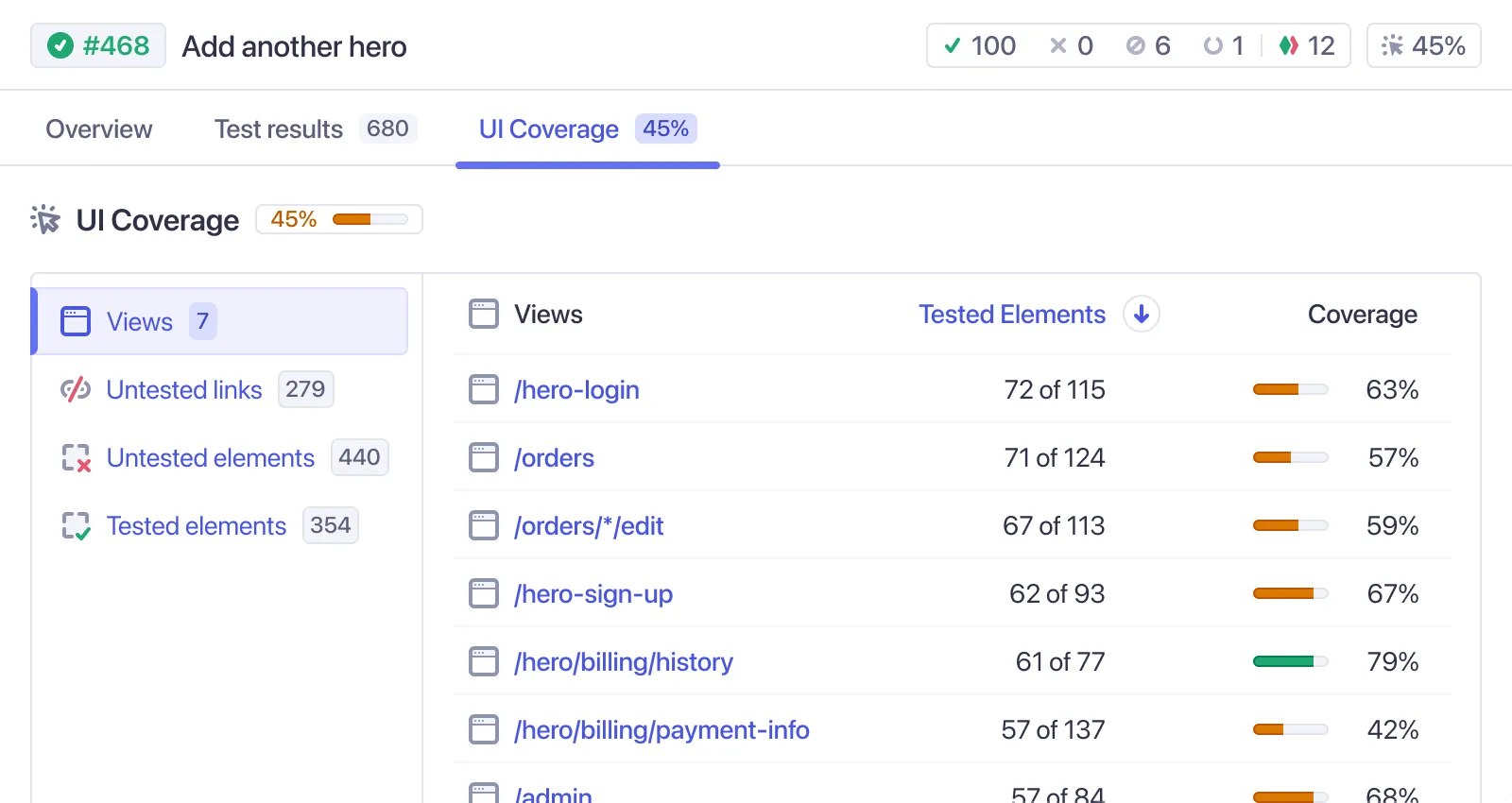
UI Coverage provides a visual overview of test coverage across every page and component of your app, offering clear insights into uncovered areas that everyone can understand.
UI Coverage: Visualize coverageIncrease release confidence by closing testing gaps in critical app flows. Leverage data-driven insights to cover untested areas, reduce incidents, and improve app quality.
UI Coverage: Close testing gaps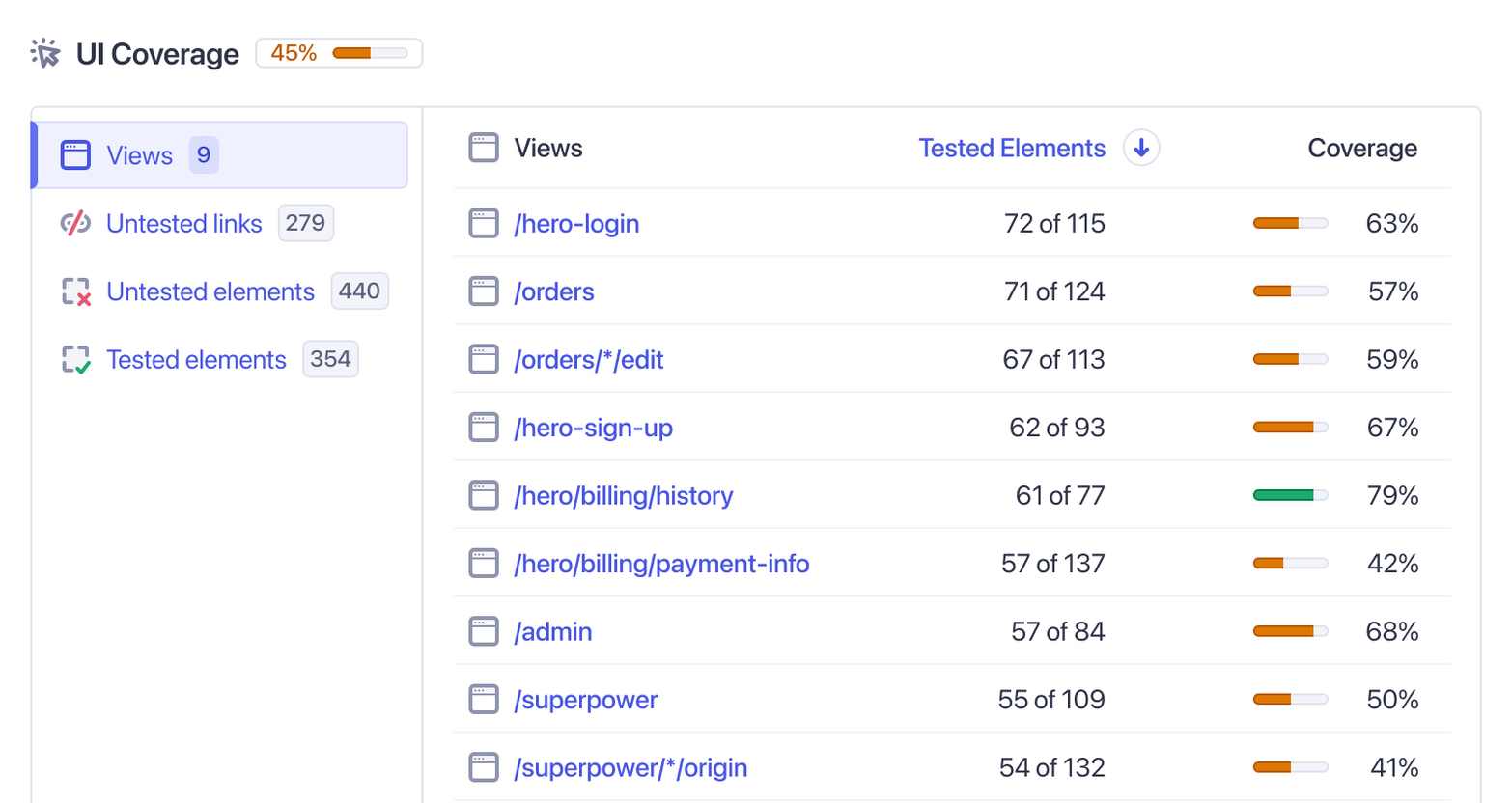
Track coverage changes as your app evolves, with insights on every commit. Use automated checks to prevent coverage gaps and address issues before release.
UI Coverage: Monitor changesIdentify and eliminate duplicate tests to speed up runs, reduce CI costs, and maintain a leaner, more efficient test suite.
UI Coverage: Test duplicationUI Coverage works instantly, with no setup or code instrumentation needed. Easily customize reports to fit your needs with flexible configuration options.
UI Coverage: Instant reports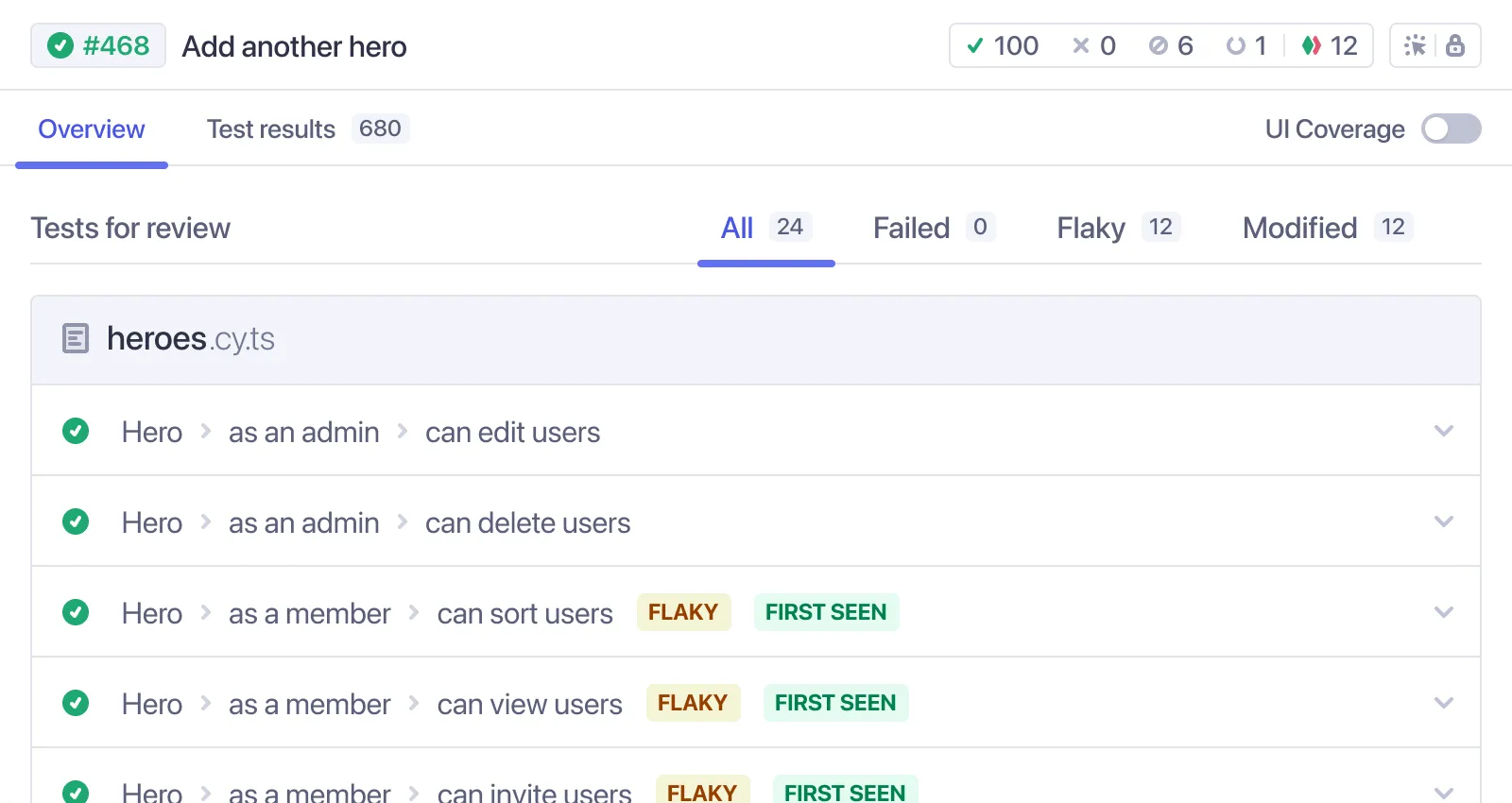
Cypress Accessibility
Automated accessibility checks on every test
Maximize the value of your existing Cypress tests by instantly adding thousands of accessibility checks with no setup, code changes, or performance penalty.
Accessibility: Instant adoptionLink directly to the violation with exact reproduction steps. Interactive visuals help designers, product teams, and developers easily understand the issue, ensuring everyone is aligned on your accessibility program.
Accessibility: Share & collaborate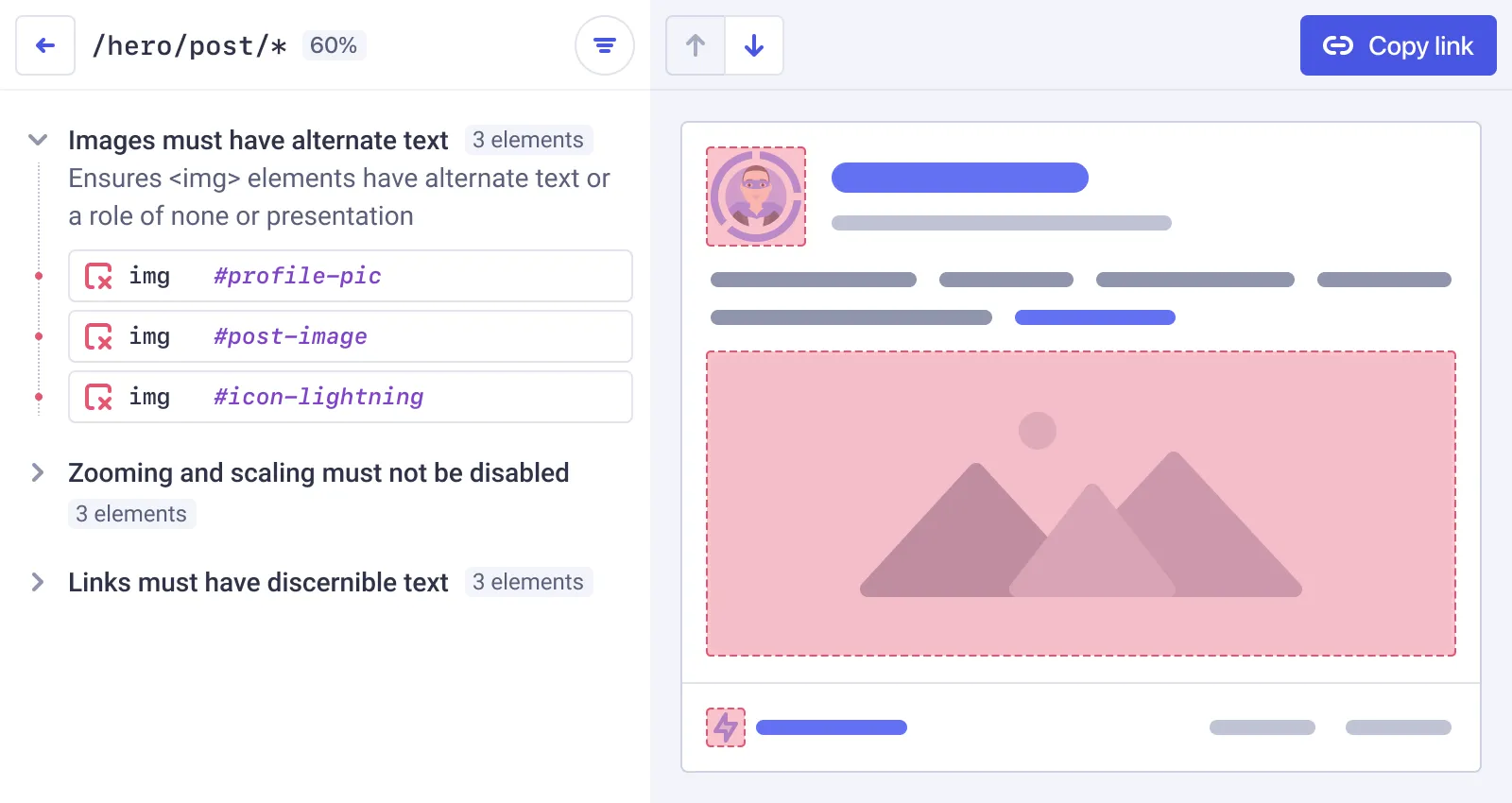
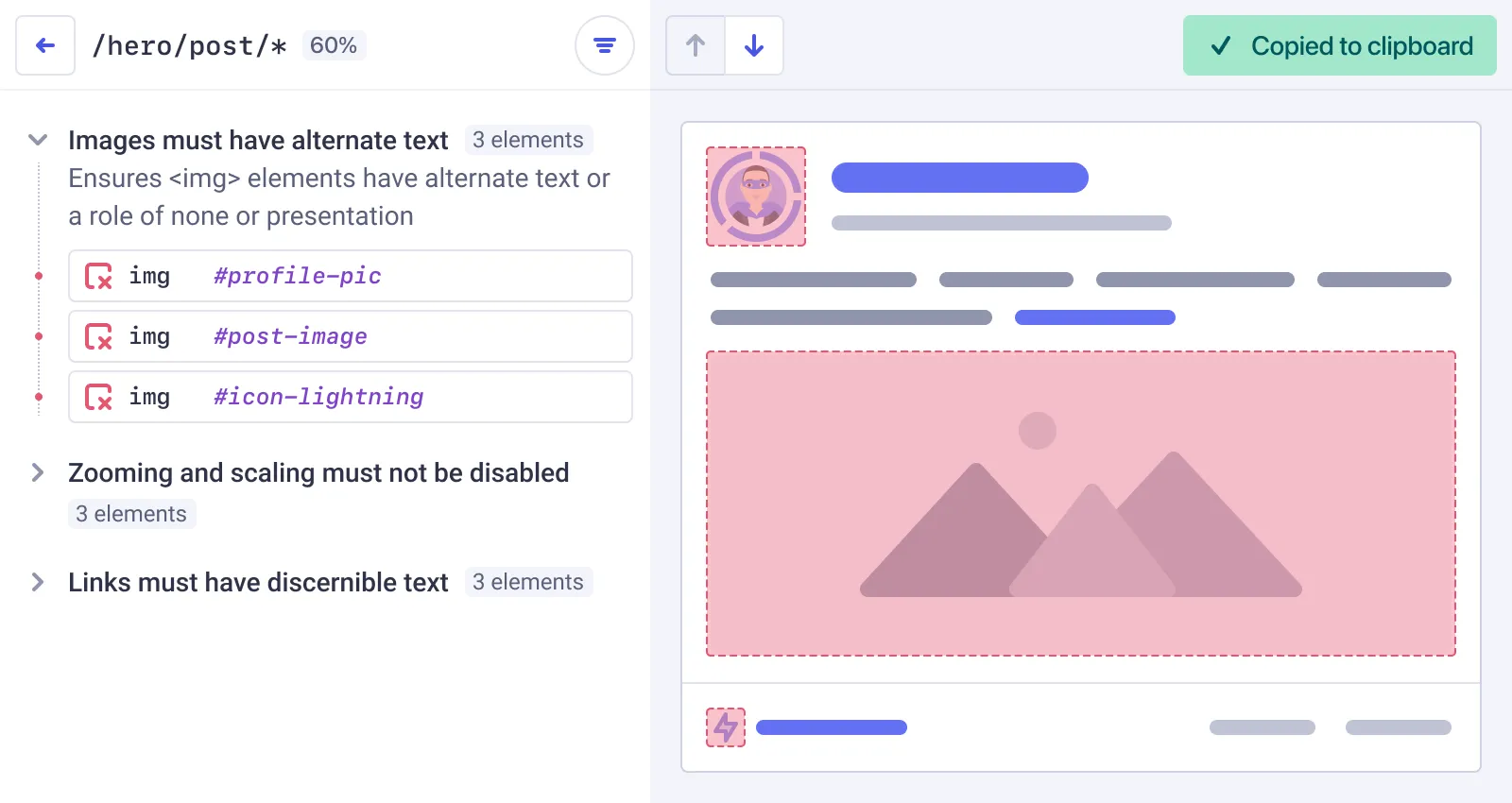
Track progress with historical scores, monitor improvements, and identify regressions quickly. Real-time data ensures you know when problems arise, keeping you on track toward your accessibility goals.
Accessibility: Reporting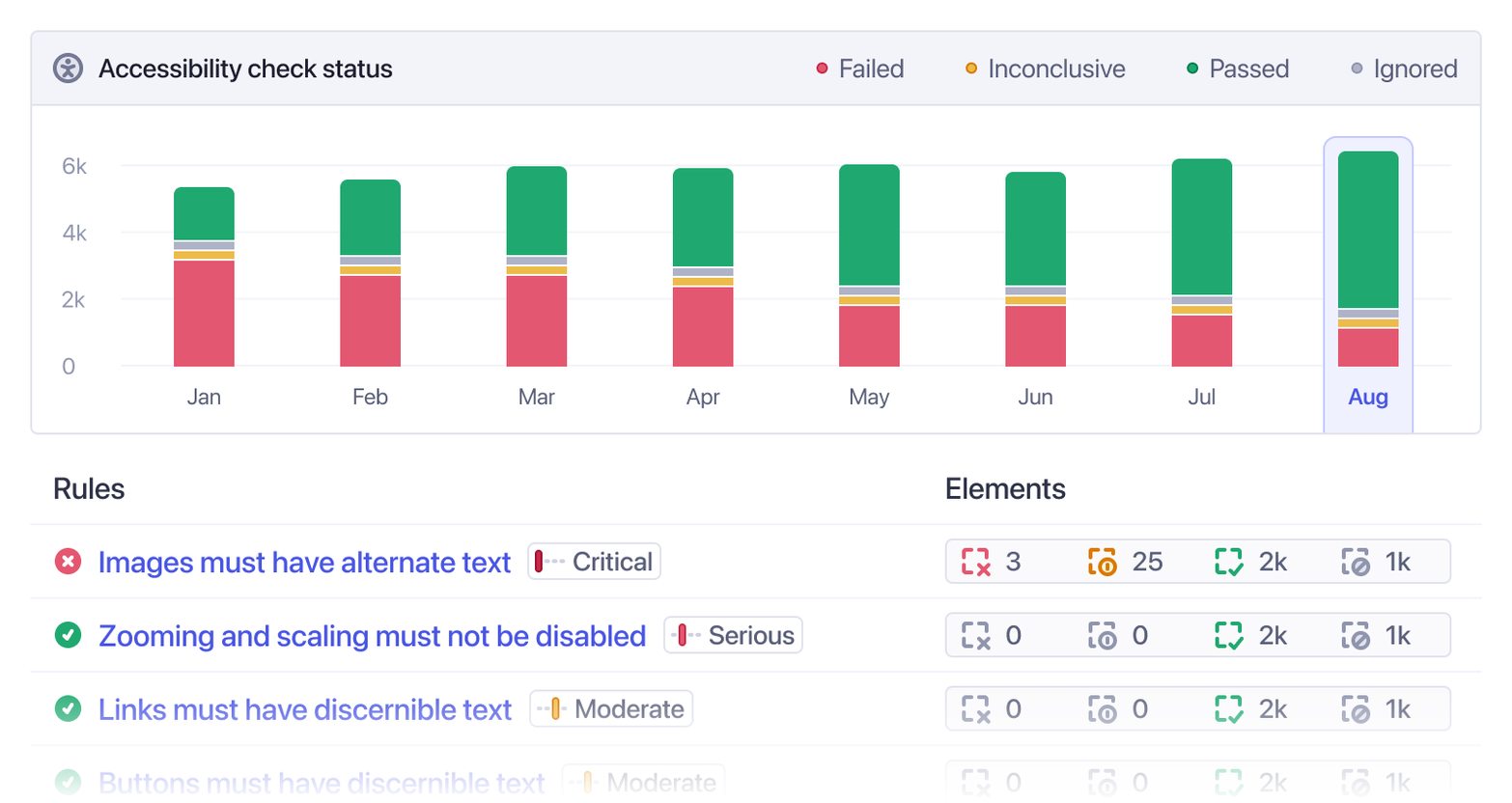
Shift left by identifying accessibility issues with every code change, catching problems before they merge and avoiding costly regressions in production.
Accessibility: Automated checks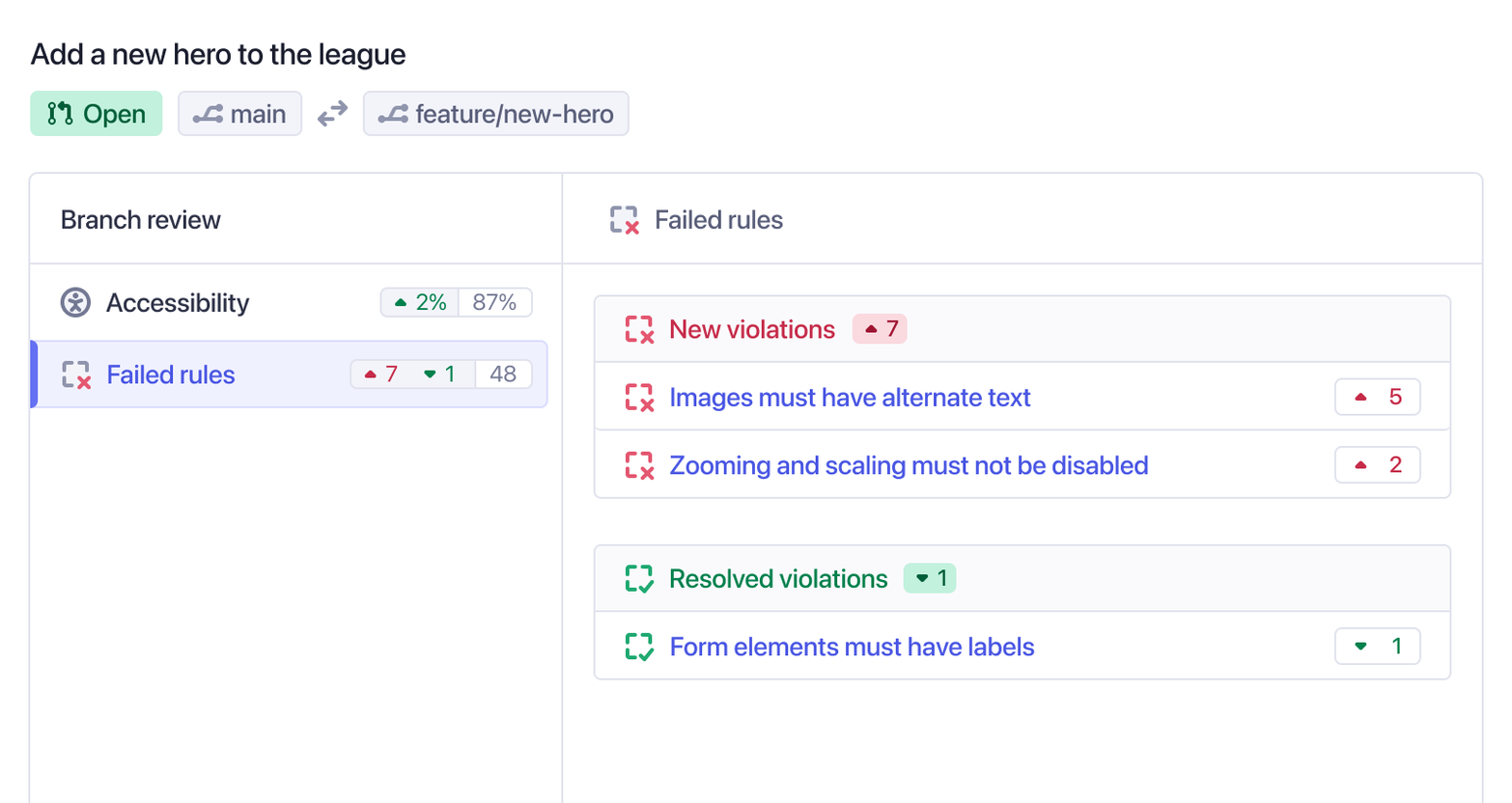
Inspect the DOM for each violation, enabling your team to test solutions, and review the accessibility tree. Speed up triage and resolution compared to text-based or static image reports.
Accessibility: Debugging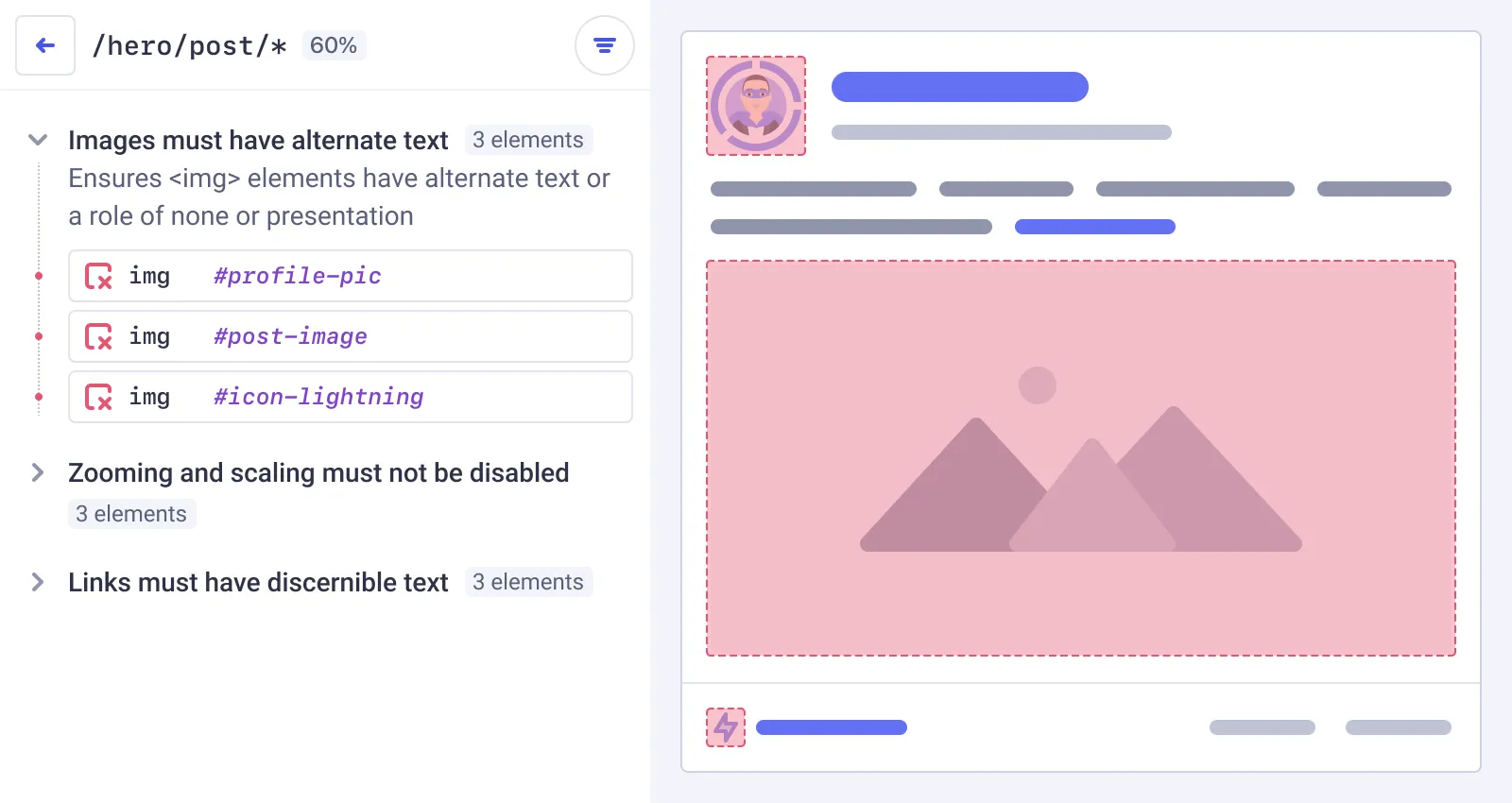
Workflow Integrations
Integrate seamlessly into your workflow
Prevent regressions in production with automated status checks in GitHub, GitLab, or Bitbucket
GitHub integration docsIntegrate with MS Teams or Slack for test insights, coverage scores, and accessibility scores on each test run.
Slack integration docsGive your AI coding assistants direct access to your Cypress Cloud test results with Cloud MCP, so they can help you debug, triage, and take action without leaving your editor.
Cloud MCP docscypress-heroesEnable SSO to secure and control your team's Cypress Cloud access through Okta, Azure AD, and more.
Enterprise SSO docs
Trusted by Enterprise
Cypress is proud to support developers worldwide by making it easier to build and test modern applications.

“After experiencing the Cypress GUI and Cypress Cloud, we definitely did not want to go back to WebdriverIO or our custom Ruby Selenium solution.”
Alfred Lucero
Staff Software Engineer

“We realized pretty quickly that Cypress was the winner. It was very well-documented, it had parallel testing, a dashboard for viewing results, in-browser debugging, DOM snapshots, it was in Javascript, and it was super readable. And best of all, the setup is dead simple.”
Todd Williams
Senior QA Automation Engineer

“Cypress is an amazing testing tool for end-to-end testing. It integrated perfectly with our GitHub pull requests workflow.”
Jean Dessane
Lead Fullstack Javascript Developer

“We started off with a nightly run of our Cypress tests. In a few months, we scaled up our test automation considerably, first to 20 tests a day, then 300 tests a day, and now 4200+ tests daily.”
Kim Hellbom
Engineering Manager

“Being able to delve into the Cypress Dashboard’s metrics and show management what the tests deliver has helped us maintain their buy-in. And now we can use the test suite to benefit other improvements in the future.”
George Palfreyman
Senior Quality Engineer

“With Cypress, we have more diligence, more contribution from devs, more help to review tests, and more solid tests.”
Todd Kemp
Quality Lead
Start running your Cypress tests in CI today
Create your free Cypress Cloud account to transform how you test with Cypress in CI